
Siraat
Parental controls

Rules your children can't switch off.

Siraat's parental controls are built into the browser. There's no app to install and no account to create, and everything stays on your computer.
Set up in two minutes

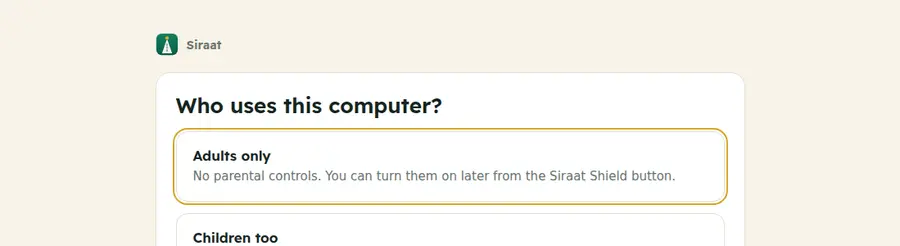
  1. Who uses this computer? The first time Siraat opens, choose "Children too".
  2. Create a parent PIN. At least 4 digits. Children must not know it.
  3. Write down the recovery code. If you ever forget the PIN, this code resets it. It's shown only once.
  4. Pick the rules. Sensible suggestions are already filled in; change anything later.
  5. Lock it with Windows (recommended). One administrator approval, and the controls can't be removed.
Siraat setup
Siraat setup: Who uses this computer? Adults only, or Children too.

You decide what, when and how long

Four categories, each Allowed, Limited or Blocked. Weekdays and weekends can have different times, and you choose which days are the weekend.

Social media

Social networks, short-video apps and forums. For example: weekdays 4–8 pm, one hour a day.

Video

Video sharing, live streaming and film sites. Limit the minutes, or allow only at set times.

Games

Online games, game stores and browser-game sites. For example: weekends only.

Chat

Chat and messaging sites, random video-chat sites and AI chat-companion apps.

Your own lists

Always block a site, or always allow one, whatever its category.

Fair warnings

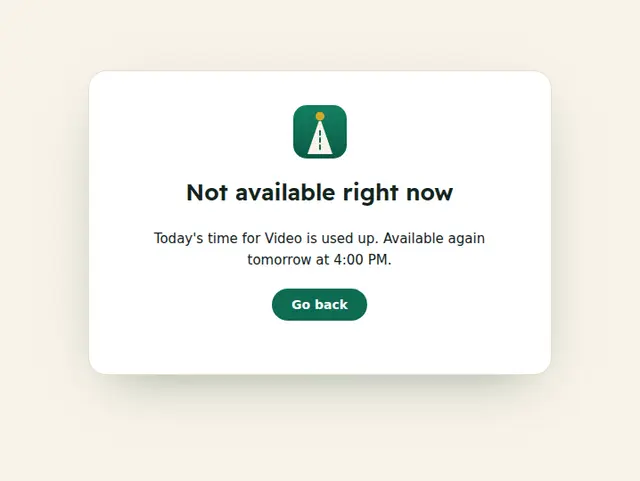
Five minutes before time is up, a message appears on the page. When time runs out, the site shows when it's available again.

Always on while parental controls are on

  • Safe search forced on the major search engines.
  • Restricted mode on video sites, which hides mature videos and comments.
  • No program downloads: .exe, .msi and other installers, and optionally .zip, .rar, .7z and .iso. You can allow a single download with your PIN.
  • No other browsers: sites for downloading other browsers are blocked.
  • No incognito windows.

And for everyone, always: inappropriate websites are blocked.
Siraat
Siraat block page: Not available right now. Today's time for Video is used up. Available again tomorrow at 4:00 PM.
Lock with Windows

So it can't be undone.

A browser on its own can't stop a determined child, so Siraat asks Windows to help. With one administrator approval, Siraat saves your rules where a standard Windows account can't change them.

  • Parental controls can't be turned off, even by deleting Siraat's data.
  • No incognito or guest windows, no new profiles, no developer tools, no extra extensions.
  • Other browsers on the computer open no websites, so they can't be used to get around Siraat.
  • Removing the lock needs your PIN and the administrator password.

Activity, kept private

See time spent per category today and this week, and which sites were blocked. It's stored only on this computer, behind your PIN. Nothing is sent anywhere.

For the best protection

Give children a standard Windows account, not an administrator one, and keep the administrator password to yourself. That stops them installing other software or removing the Windows lock.

Ready to set it up?

Parental controls are included in Siraat, free.

Download Siraat